Documentation Index

Fetch the complete documentation index at: https://infisical-feat-gateway-connector.mintlify.app/llms.txt

Use this file to discover all available pages before exploring further.

Prerequisites:
1

Authorize Infisical for Cloudflare Pages

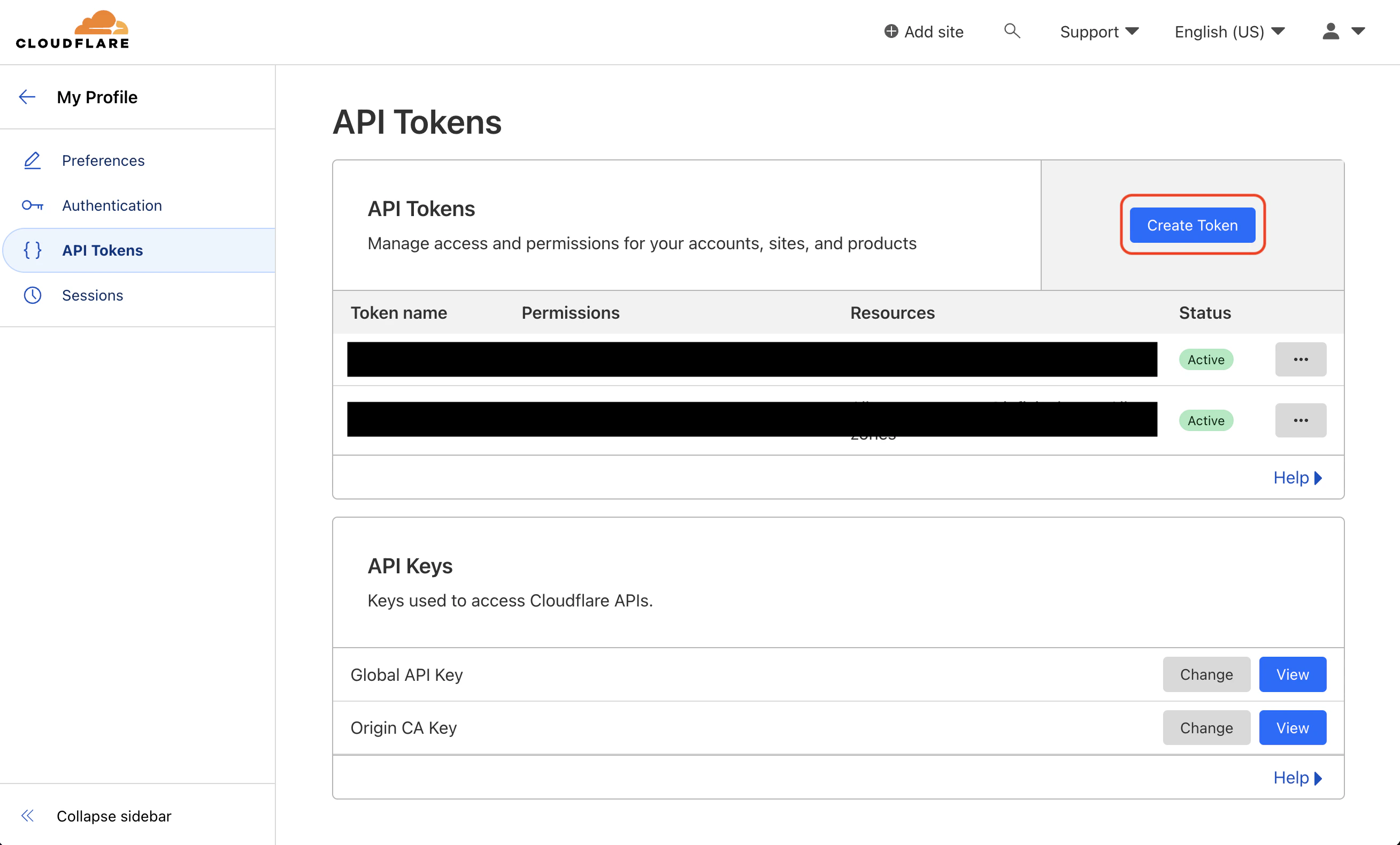
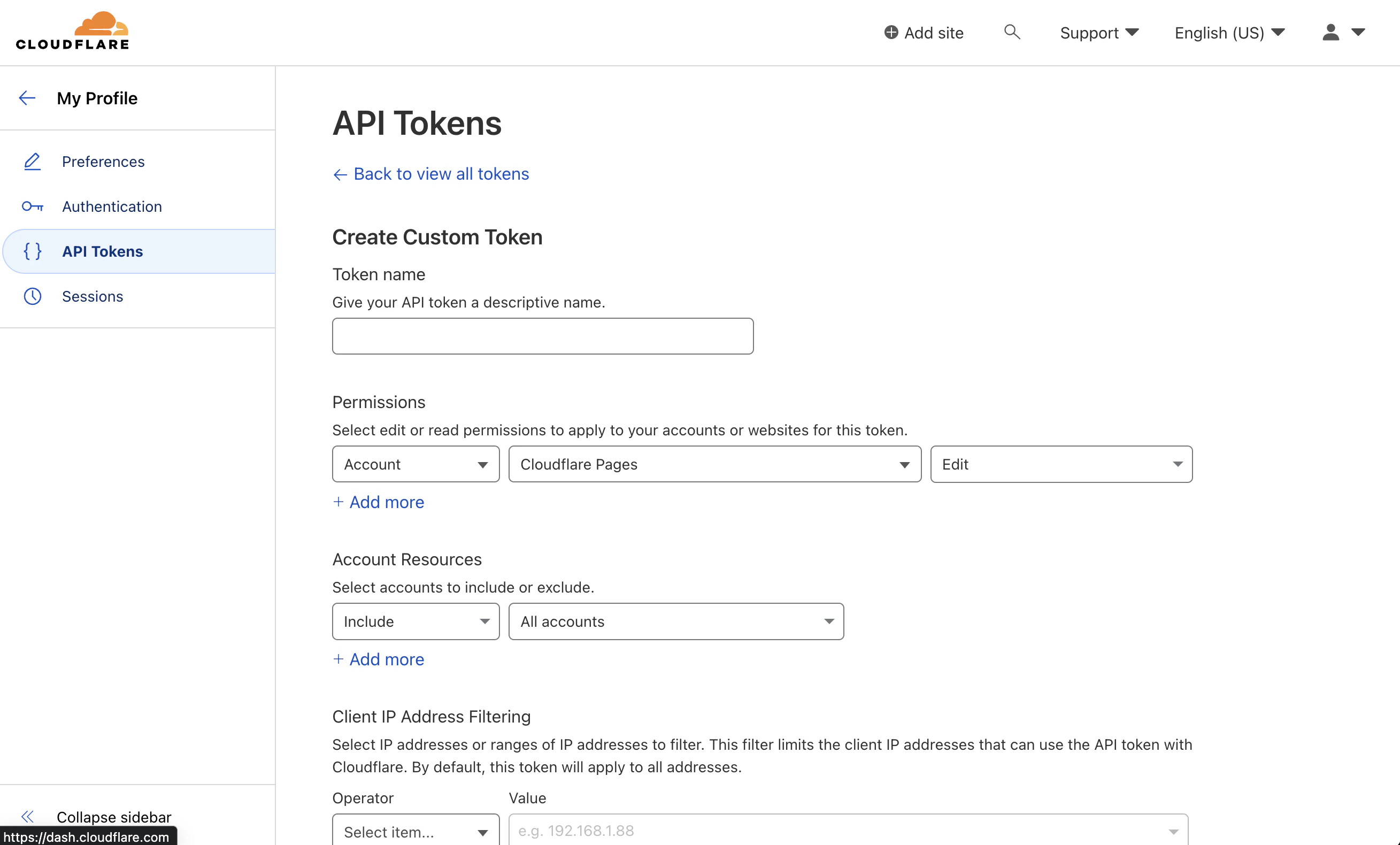
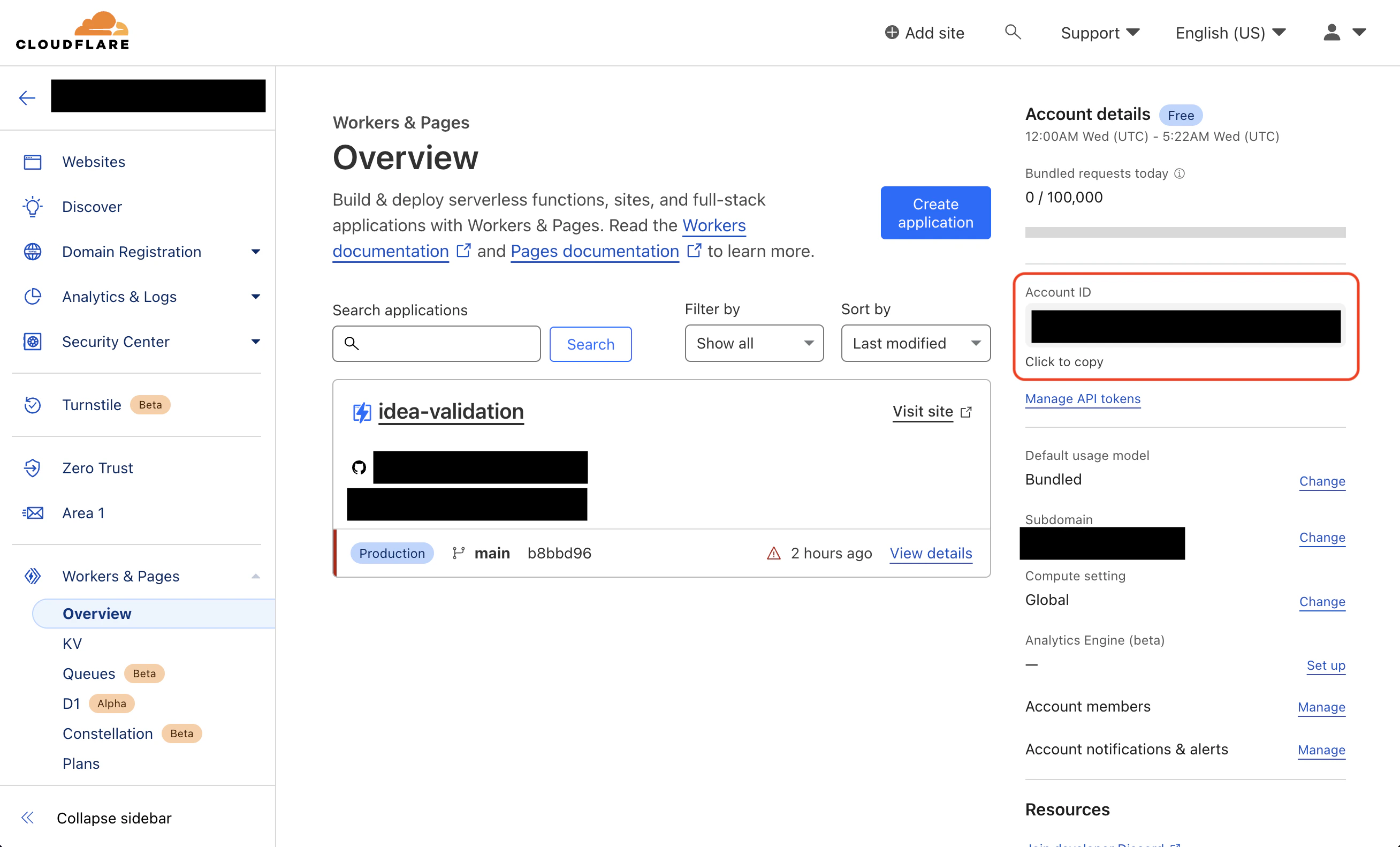
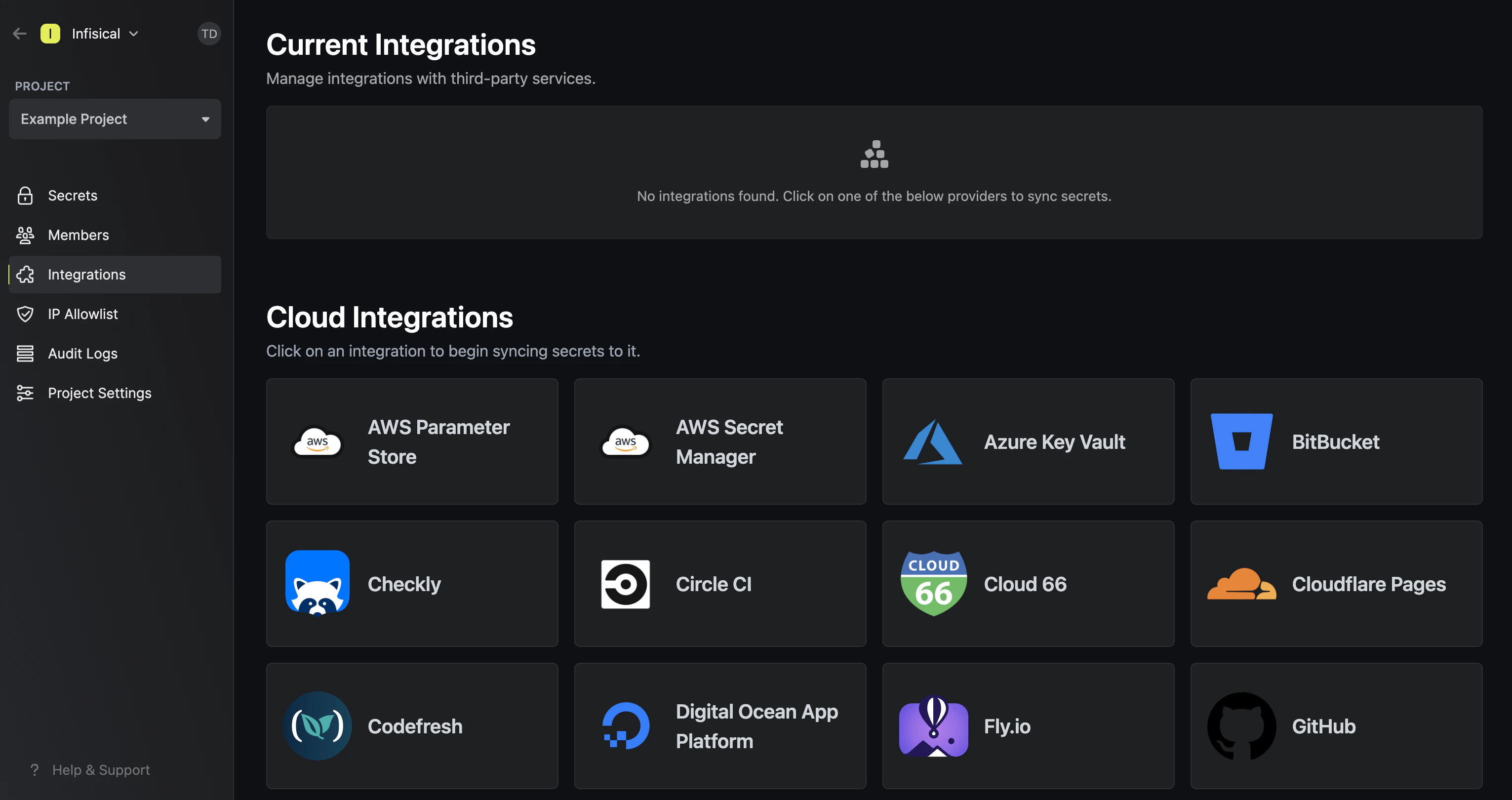
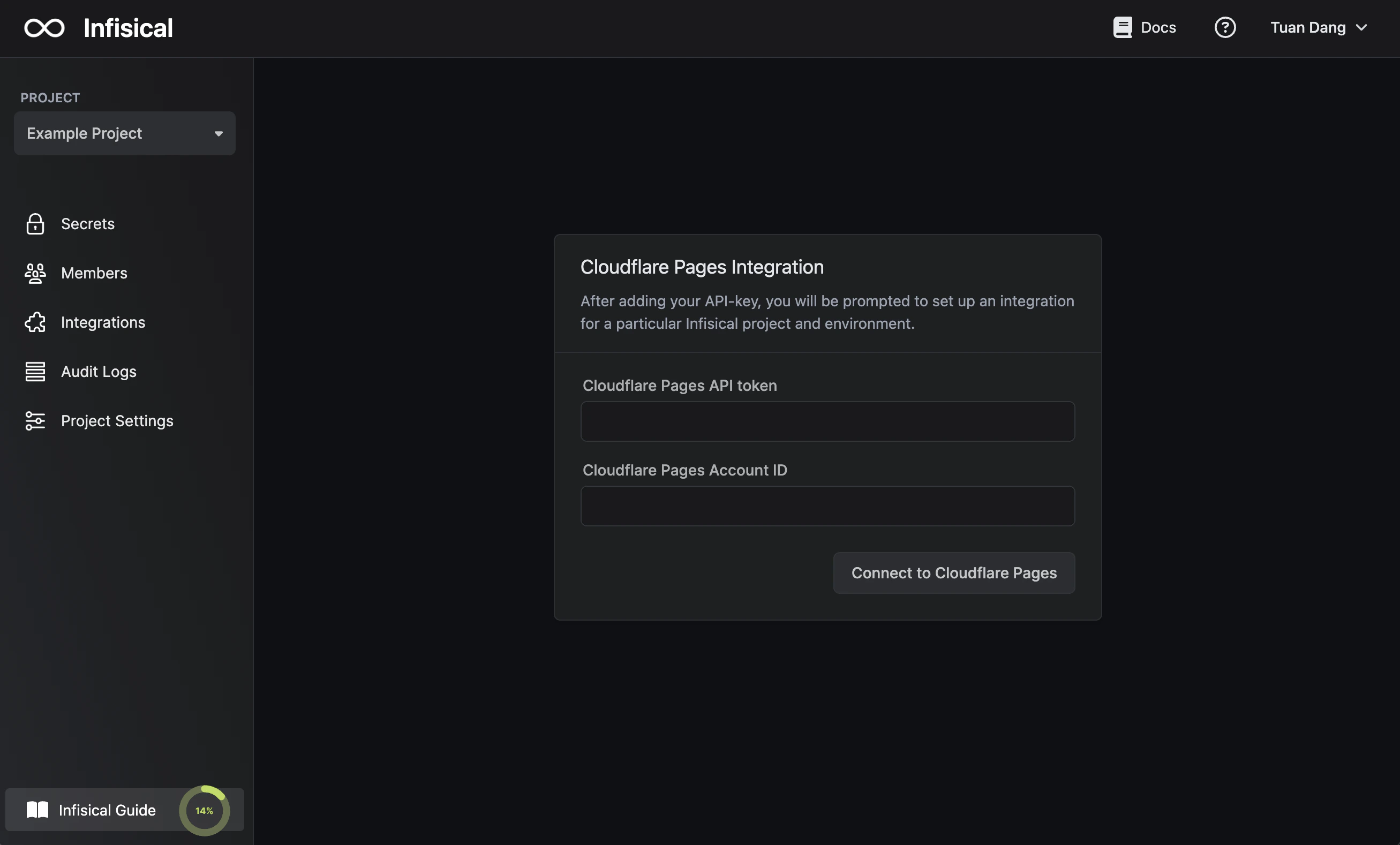
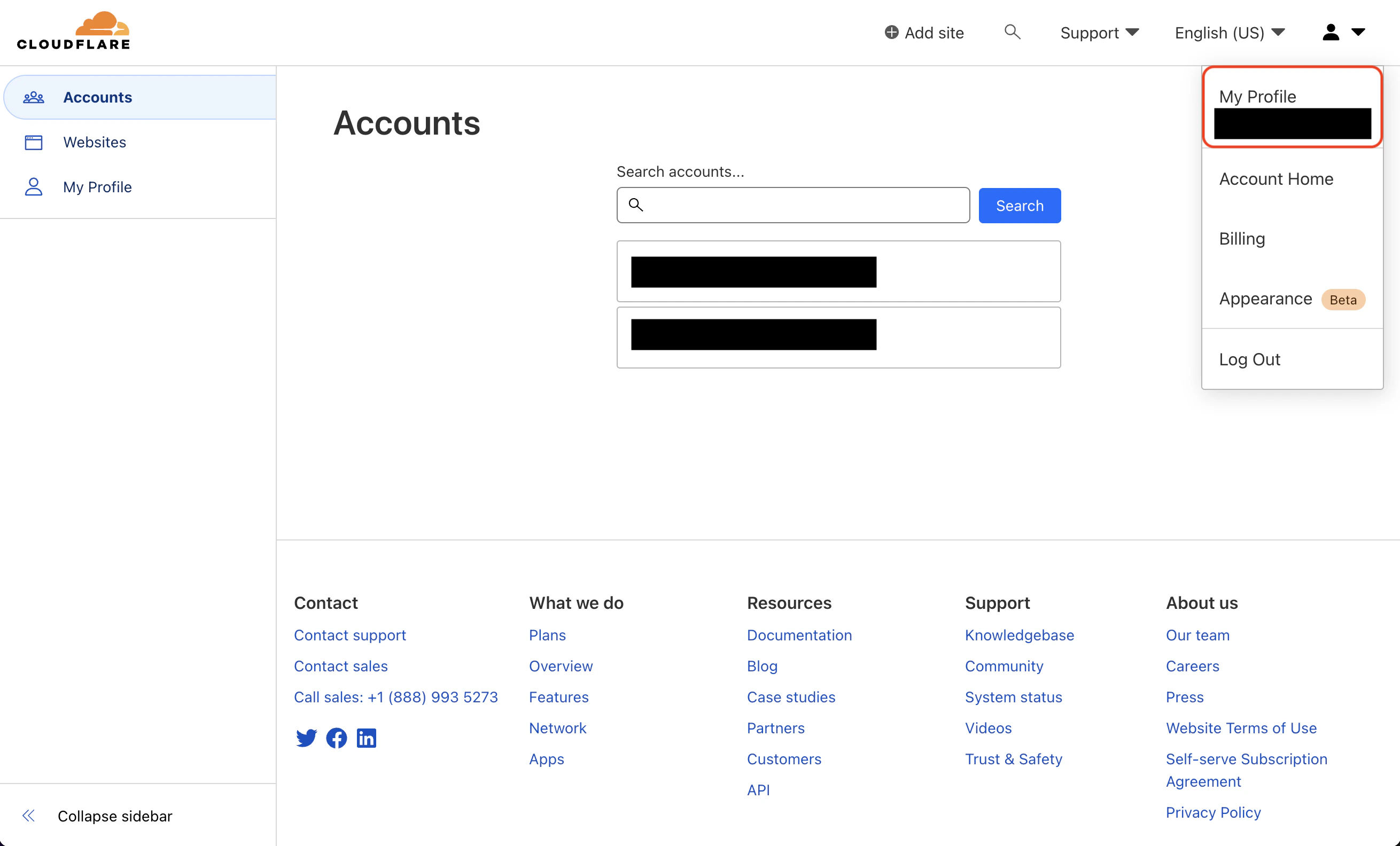
Obtain a Cloudflare API token and Account ID:Create a new API token in My Profile > API Tokensintegrations cloudflare credentials 1integrations cloudflare credentials 2integrations cloudflare credentials 3Copy your Account ID from Account > Workers & Pages > Overviewintegrations cloudflare credentials 4Navigate to your project’s integrations tab in Infisical.integrationsPress on the Cloudflare Pages tile and input your Cloudflare API token and account ID to grant Infisical access to your Cloudflare Pages.integrations cloudflare authorization
2

Start integration

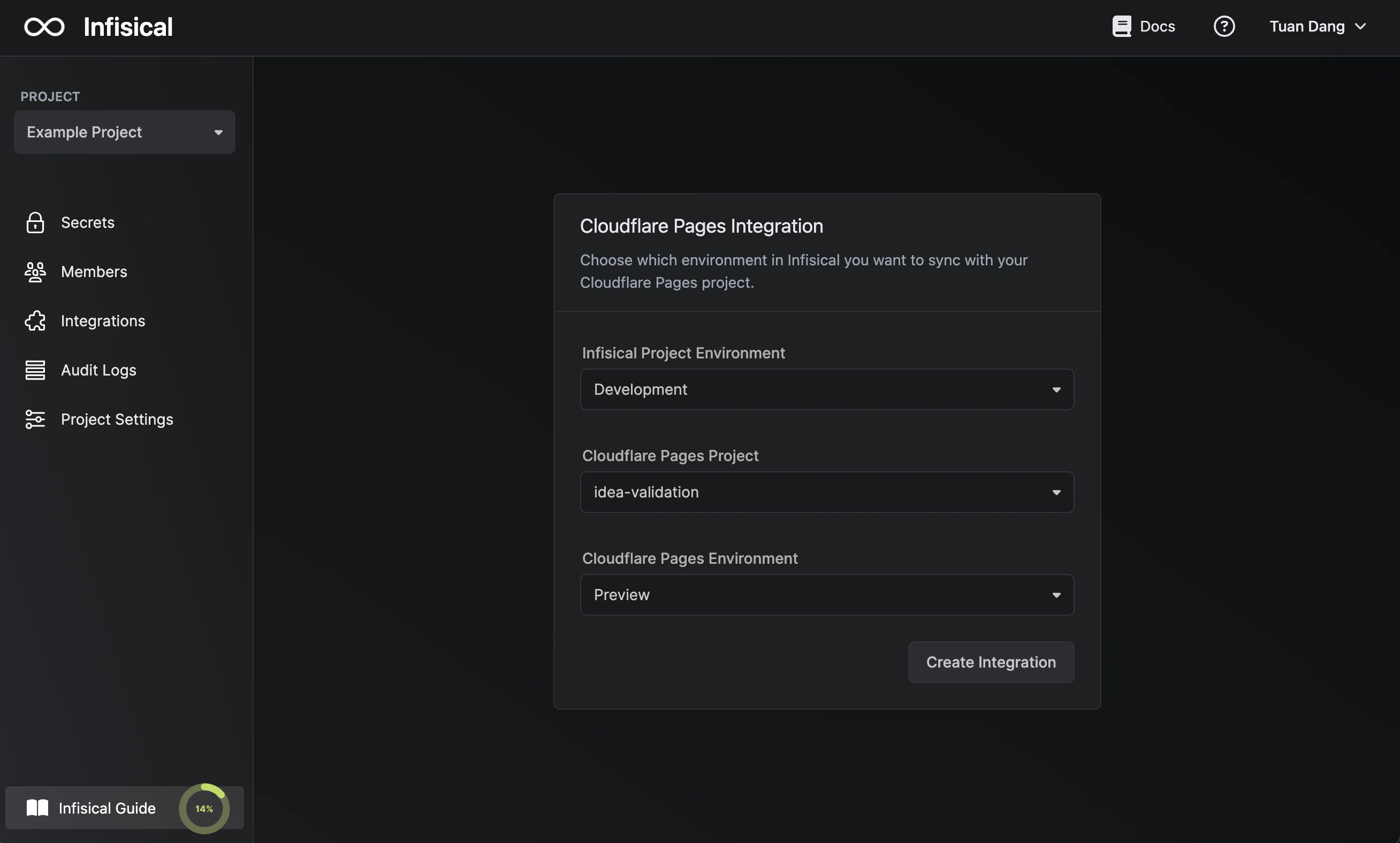
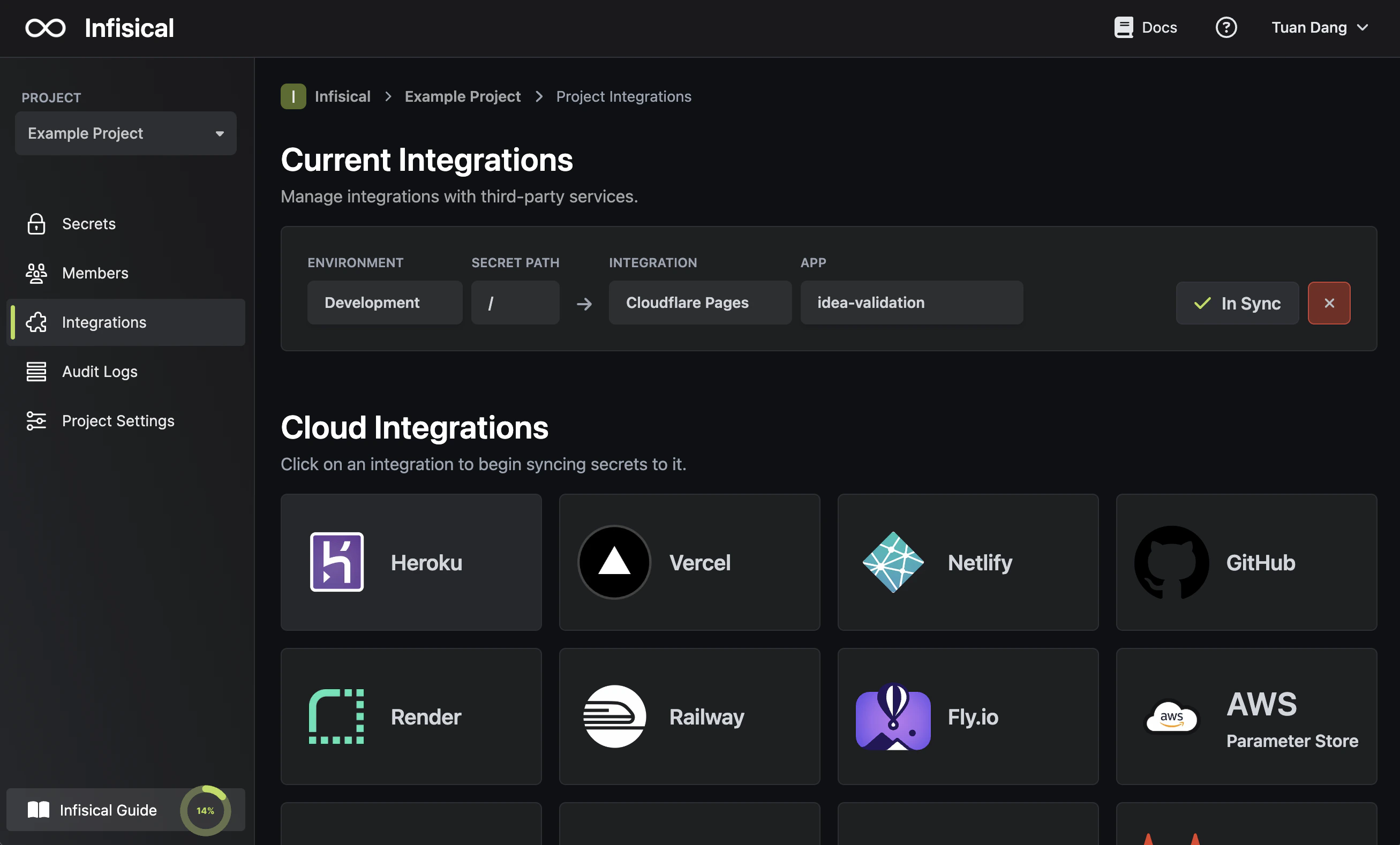
Select which Infisical environment secrets you want to sync to Cloudflare and press create integration to start syncing secrets.integrations cloudflareintegrations cloudflare